
Zero-shot Text Classification with Hugging Face and Qdrant
July 13, 2022
Introduction
Today I am going to show you how you can use Hugging Face's Natural Language Interference(NLI) models and Qdrant to classify your text instead of training a model.

You may have a big amount of data to train a model for classification however not enough compute resources or time to do it. That's where the metric learning comes in!
Zero-shot classification means that, models can classify labels which were not trained on. Generally, zero-shot classification used where we do not have enough data to create a classifier. However, nowadays models are getting so much bigger and it takes a lot of time to train models.
Therefore, I thought that making a tutorial like this will enable you to create a classifier in minutes without training and have a good baseline models!
Dataset
I am going to use News dataset which contains 120 hundred reviews and contains four labels; World, Sports, Business and Science/Tech. You can access dataset from here. Let me remind you that this dataset is just for tutorial purposes. Feel free to try different and much bigger datasets!
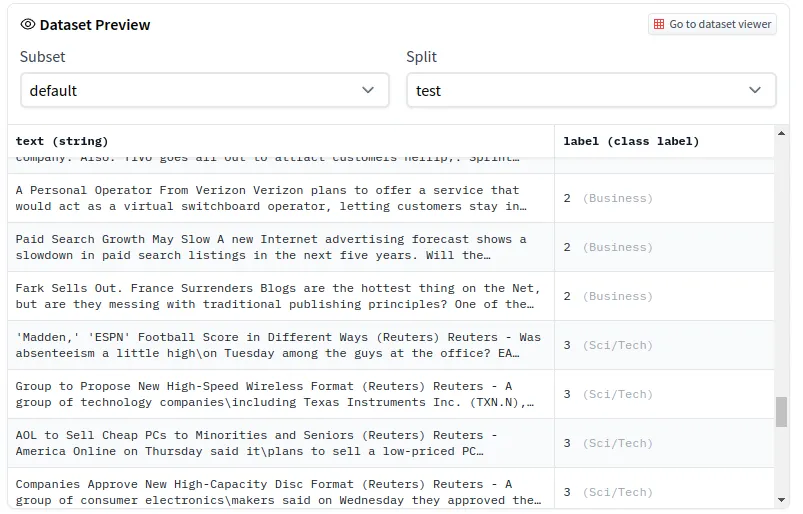
In order to load the dataset we are going to use Hugging Face transformers.
Model
I am going to use "sentence-transformers/stsb-distilbert-base" model. You can change this model if you want. You may want to use a different language or a different NLI model.
Now that we have our model and data, we will use our NLI model to extract features from the text and use this vectores to determine the closest ones.
This code will take time depending on your dataset size and memory. Change the batch_size according your memory to speed up process.
Qdrant
If you already have know how to use qdrant you can skip these step.
We have our vectors ready! Now we need to upload them to qdrant before searching. Qdrant is basically a vector search database. You can think qdrant as Redis for vectors. Instead of giving a key, you give a vector and it returns closest vectors and their payloads.
If you do not have docker on your computer please follow this link. Qdrant is an open-source project and you can directly pull docker image.
docker pull qdrant/qdrant
After pull is complete, you can run qdrant container.
Upload Vectors to Qdrant
Everything is ready! Let's test our model.
Classification
In order to search an input text, first we are going to need its vector. Then we can search vector with qdrant.
After this you will see the most close sentences and their label. You can change the limit to get higher or lower number of close results.

As you can see it found 5 closest rows and returned their payload. Their labels are 3 which is the label for Tech/Science. You can try different inputs and see your results!